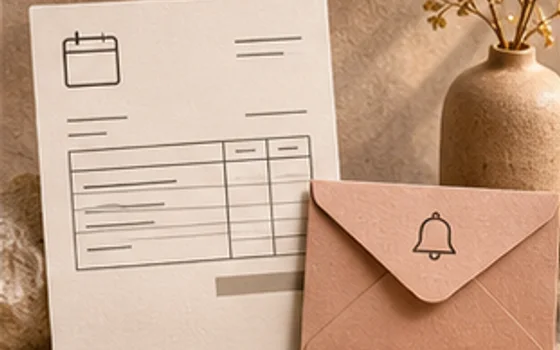
Before sending an invoice, confirm the name of the organization that pays and the destination its purchasing staff uses. The person who approved your work may be different from the person who receives invoices. Ask whether the client expects a portal upload, an email, or a purchase order reference.
Then compare the invoice with the approved agreement. Ensure the description matches the work they can recognize and the amount and payment terms are correct. If the invoice covers a milestone, include the milestone or deliverable name with any client-provided code. Use the agreed currency and approved payment details.
Give the processor the references they need
| What to verify | How to check |
|---|---|
| Client identity | Match the agreed legal name and billing details. |
| Invoice number | Use a unique number and keep a copy. |
| Purchase approval | Match the purchase order, project reference, or named approver if required. |
| Amount | Compare quantity, price, tax where applicable, and currency with the agreement. |
| Payment terms | Include the due date and payment route the parties used. |
| Delivery | Use the exact mailbox or portal and save the receipt. |
GOV.UK’s invoicing guide describes what invoices should include in its jurisdiction. Check the rules for your own business, including any tax invoice requirements. The UK Office of the Small Business Commissioner’s guide also explains practical invoice details such as dates and purchase order information when required. GOV.UK UK Office of the Small Business Commissioner
Follow the route an invoice takes inside the buyer’s organization
Ask the project contact which team approves your work and which person or system accepts the invoice. They may need a purchase order and a service receipt before processing. Write both steps in your notes before the first bill. Check whether the buyer set your contact and organization information correctly. Several entities working on the same project may use separate billing records. An invoice with the wrong legal name may reach a person who cannot approve it even though the work was accepted. Verify the exact name and approved route against the purchase record.
Imagine a client manager emails “looks good” after you send an updated report. Their organization may also need that manager to mark a milestone received in an internal portal. Ask the manager which event controls the invoice in your written terms and how the processing team can see it. Include the approved purchase order and work reference where the client expects them. Match the quoted service and charge. If the client asked for separate invoices by business unit or milestone, follow the agreed procedure and check that the amounts add to the total under the same terms.
GOV.UK’s invoice guidance describes information needed for invoicing in its jurisdiction. The UK’s Office of the Small Business Commissioner’s guide includes details such as dates and purchase orders when expected. Use the guidance to form your own checklist where applicable, then verify the current client process, contract, and relevant rules. A place in the portal to enter a reference is a processing requirement. Ask whether it matters to the payment terms and write down the answer separately. GOV.UK UK Office of the Small Business Commissioner
Use a trial record for the details you might otherwise guess
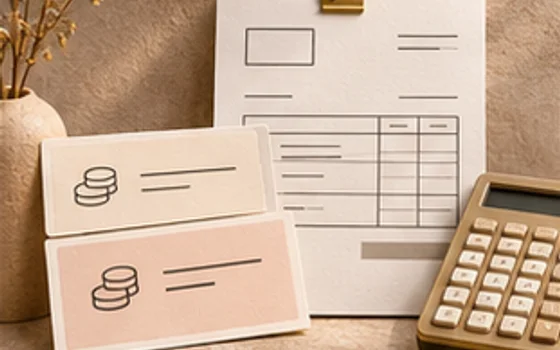
For the first invoice to a new buyer, check the expected data beside the filled version. Look at the buyer’s name, the approved currency and total, and the date the service was delivered or approved. Confirm the invoice reference is unique in your records. Check whether all lines use the correct quantity and price and whether a tax invoice needs other fields. For a project with several requests, include identifiers the buyer supplied. A person receiving dozens of invoices can check the process more quickly when the work appears under the same name your contact used.
Before submitting, look at exactly what the portal or email recipient will receive. Open the correct file. Check that the billing details, agreed payment method, and required references are readable. Use the verified portal or address. If a message suddenly requests changed bank information or a new destination, confirm it through the established contact route. Keep payment details in the approved place and record the submission receipt. The receipt can tell you when it entered the buyer’s system, while any later approval or due date should be tracked according to the actual process.
Respond to a rejection with the same invoice record in view
Suppose the portal rejects invoice 1048 because the purchase order is closed. Ask the person who owns the order whether you should use a different reference and which one the buyer expects. Check whether the client needs the same invoice with a corrected field or a replacement under its process and applicable rules. Keep the original and the new reference together so the amount is easy to trace. A message that says “please pay” may be less useful at this point than confirming the one missing piece.
When the buyer says an amount is in review, record who owns the next step and when they plan to act. Keep the agreed due date and the expected payment date separate. Verify whether the fix changed what you submitted or any term both parties had actually agreed. If the business accepts the invoice and the payment remains outstanding, return to the dated record before sending a reminder. Add any recurring reference or route to your client notes after you verify it, so a future invoice can start with the right information.
Find out what the client accepted
After sending, look for an acknowledgment or portal status. A failure might say “purchase order closed” or “missing project code.” Ask which data need to change and whether the client expects a replacement invoice or a corrected reference. Record the date and preserve the previous version in your internal records.
If the client says it did not receive the invoice, verify the destination independently before sending again. Do not change bank details based solely on an unexpected message. Use the same approved process you used to establish the payment route.
Record the agreed due date and the client’s acceptance status separately. For a repeat client, put the verified route and references in your project notes. Check them when the client’s staff or purchasing process changes.
If the invoice passes its due date, write a reminder with the outstanding amount and reference.